




For everyday work — email, documents, spreadsheets, video calls and a browser full of business tools — the best MacBook in Uganda is a 13-inch MacBook Air with 16GB of memory and 512GB of storage, or the 15-inch Air if you spend your day in spreadsheets. It is light enough to carry between offices, silent in meetings, gets through a full working day on battery, and costs roughly UGX 3.3M to 3.6M used for the M2 generation.
If you are buying for a company rather than yourself, the calculation changes and you should read our guide to choosing MacBooks for a business team instead — fleet pricing, device management and total cost work differently at scale.
What “Work” Actually Means in 2026
The typical knowledge worker’s day is a browser, a mail client, a video call application, a document suite and a messaging app, all open at once, with a dozen tabs that were never closed.
That workload is not heavy in the way video editing is heavy, but it is persistent. It runs for eight hours, it never releases memory, and it punishes machines with too little RAM far more than machines with an older chip.
It also has specific requirements that benchmarks do not capture: the camera has to look acceptable on a client call, the microphone has to be usable without a headset, the keyboard has to be comfortable for long writing sessions, and the battery has to survive a day away from a socket.
It is worth saying plainly: almost nobody’s office job needs a fast computer. It needs a reliable one that wakes up, connects to the projector, and still has battery at four in the afternoon.
Why 16GB Matters More Than You Think
Office work is where 8GB machines age fastest, because browser-based tools have quietly become heavy. A modern web application for project management or CRM can occupy several hundred megabytes on its own, and people run four or five of them at once.
Buying 8GB in 2026 means buying a machine that will feel slow within two years, for a saving of a few hundred thousand shillings. Buying 16GB means the machine still feels normal in 2030. Since memory is soldered and cannot be added later, this is the one decision worth paying for.
Storage follows the same logic at lower stakes. 256GB fills with documents, downloads, photos and mail archives faster than anyone expects. 512GB is the sensible working capacity, and an external drive covers archives.
A useful test before you buy: open your normal set of applications on your current machine and watch memory pressure in Activity Monitor. If it is already amber, 16GB is the correct choice rather than a luxury.
Air or Pro for Office Work
For office work, the Air is usually the better machine, and it is not a compromise.
It is lighter, it has no fan so it is completely silent in meetings and on calls, and its battery life is excellent. The workloads involved never push it hard enough to throttle, so the Pro’s cooling advantage does not apply.
Choose the Pro only if your “work” includes something heavier: video calls while editing, design work, large data models, or software development. In that case the 14-inch Pro’s screen and sustained performance are worth the extra weight and cost.
The one Air limitation worth planning around is ports. Two USB-C ports means a dock or hub if you connect a monitor, a drive and power. Budget for a decent one — a cheap hub is the most common cause of screens that disconnect and drives that vanish.
There is also a practical point about noise. A fanless machine on a call is never audible, while a Pro’s fans occasionally are during long screen shares.
Spreadsheets, Documents and Office Compatibility
Microsoft Office runs natively on Apple Silicon and behaves normally. Word, Excel and PowerPoint open files without the formatting problems that plagued older versions, and Excel handles large sheets well.
Two practical caveats. Very large Excel models with heavy macros can be slower than on a high-end Windows machine, so ask before assuming if your job is spreadsheet-intensive. And some Ugandan organisations run Windows-only accounting or ERP software that has no macOS version — in that case a MacBook is simply the wrong tool, regardless of how good it is.
For document work, the keyboard and trackpad matter more than the specification. The Air’s keyboard is comfortable for long sessions, and its trackpad is better than anything on a comparable Windows laptop.
If your work involves files above roughly 50MB with complex formulas and linked sheets, test one of your own before committing to any machine.
It is a five-minute test that prevents an expensive mistake.
Battery, Portability and Power Reality
Apple Silicon MacBooks genuinely last a working day, which matters more in Kampala than in most markets.
A machine that survives a full day means you can work through a power cut, take a meeting without hunting for a socket, and travel without carrying a charger. That is a practical advantage over most Windows laptops at the same price, and it is the single most common reason people give for staying on a MacBook.
For frequent travel, the 13-inch Air is the right size — it fits a small bag and weighs little. If the machine mostly lives on a desk, the 15-inch Air or a Mac mini gives you more screen and ports for the same money.
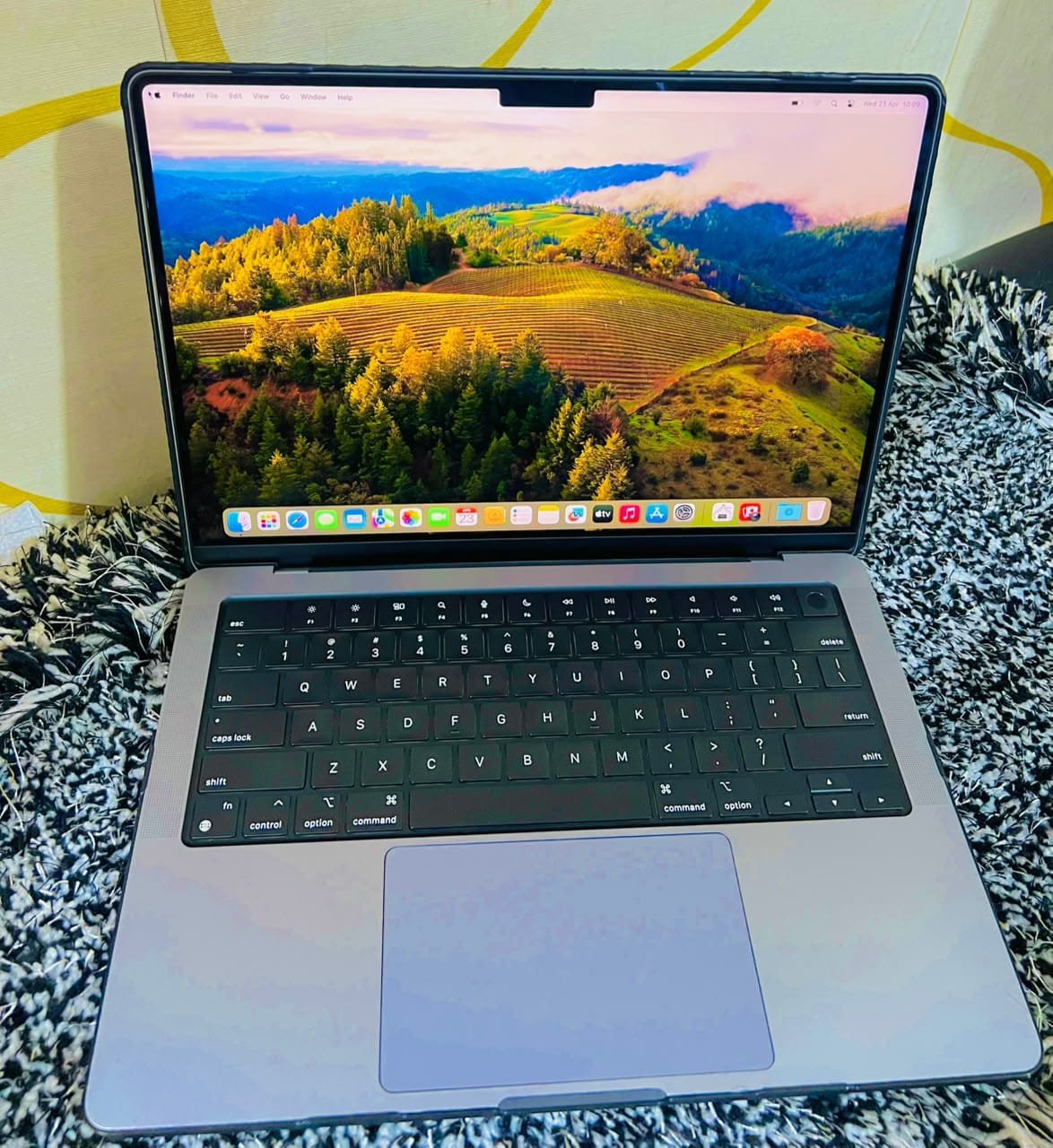
Treat the battery figures quoted in reviews as a ceiling rather than an average. Real use with a browser, a call and a spreadsheet lands somewhere below it.
Setting It Up Properly
A work machine should be configured before it becomes a work machine.
Turn on FileVault so that a stolen laptop does not become a data breach. Enable Find My and register the machine to an account you control — not an employer’s account you may lose access to, and not a personal account if the business owns the device. Set up Time Machine with an external drive, because backups are the only protection against the failure that always happens at the worst moment.
Then do the unglamorous work: remove startup items, keep the drive below about eighty percent full, and disable automatic restarts. A machine that is maintained feels new for longer than one that is not.
Spend the first hour on this and the next four years become easier. Most laptop frustration is configuration debt rather than hardware limitation.
None of it is technical, and all of it is worth doing on day one.
Buying Used for Work
A used MacBook is a sensible purchase for an individual professional, provided you check it properly.
Confirm the battery cycle count and capacity, because a machine that has been used as a desktop replacement will still have a worn battery. Verify it is signed out of iCloud and shows no management enrolment — ex-corporate machines are common in Kampala and an enrolment you cannot remove is disqualifying. Test the keyboard, the trackpad and every port.
Ask whether it has been repaired. A replaced screen or battery is not automatically a problem, but it changes what you should pay. The used MacBook buying guide sets out the full check, and current prices in Uganda show what each tier should cost.
For an individual professional, a used machine with a written warranty is usually the best value in this market, provided the battery and activation status check out.
Frequently Asked Questions
Is a MacBook good for office work?
Yes. Microsoft Office runs natively, video calls are good quality, battery life is excellent and the machine stays fast for years. The exception is Windows-only business software, which no MacBook can run without a virtual machine.
How much RAM do I need for work?
16GB is the right choice for a machine you intend to keep four or five years. 8GB is workable for basic email and documents but ages quickly with browser-based tools, and cannot be upgraded later.
Is a MacBook Air enough for work?
For almost all office work, yes. It is light, silent, has excellent battery life and handles documents, spreadsheets, calls and browsers comfortably. Only heavier work justifies the MacBook Pro.
Can a MacBook run Microsoft Excel properly?
Yes. Excel for Mac runs natively on Apple Silicon and handles large sheets well. Very heavy models with extensive macros can be slower than on a high-end Windows machine, so test your own files if that describes your work.
Which MacBook should I buy for work in Kampala?
A 13-inch MacBook Air with 16GB and 512GB suits most professionals, at around UGX 3.3M to 3.6M for an M2-generation machine. Choose the 15-inch if you work in spreadsheets, or the 14-inch Pro if your work includes design or development.
Related reading: choosing MacBooks for a business team, MacBook prices in Uganda, buying a used MacBook in Kampala.
Next step. Describe your working day and the software you rely on, and the recommendation becomes precise. Message Mudde AI on WhatsApp at +256 787 219 891, or browse current MacBook stock at Majestic Plaza in Kampala.
Also read: Best MacBook for Music Production in Uganda., Best MacBook for Video Production in Uganda (2026), Best MacBook for DJs in Uganda (2026), Best MacBook for Students in Uganda (2026)