


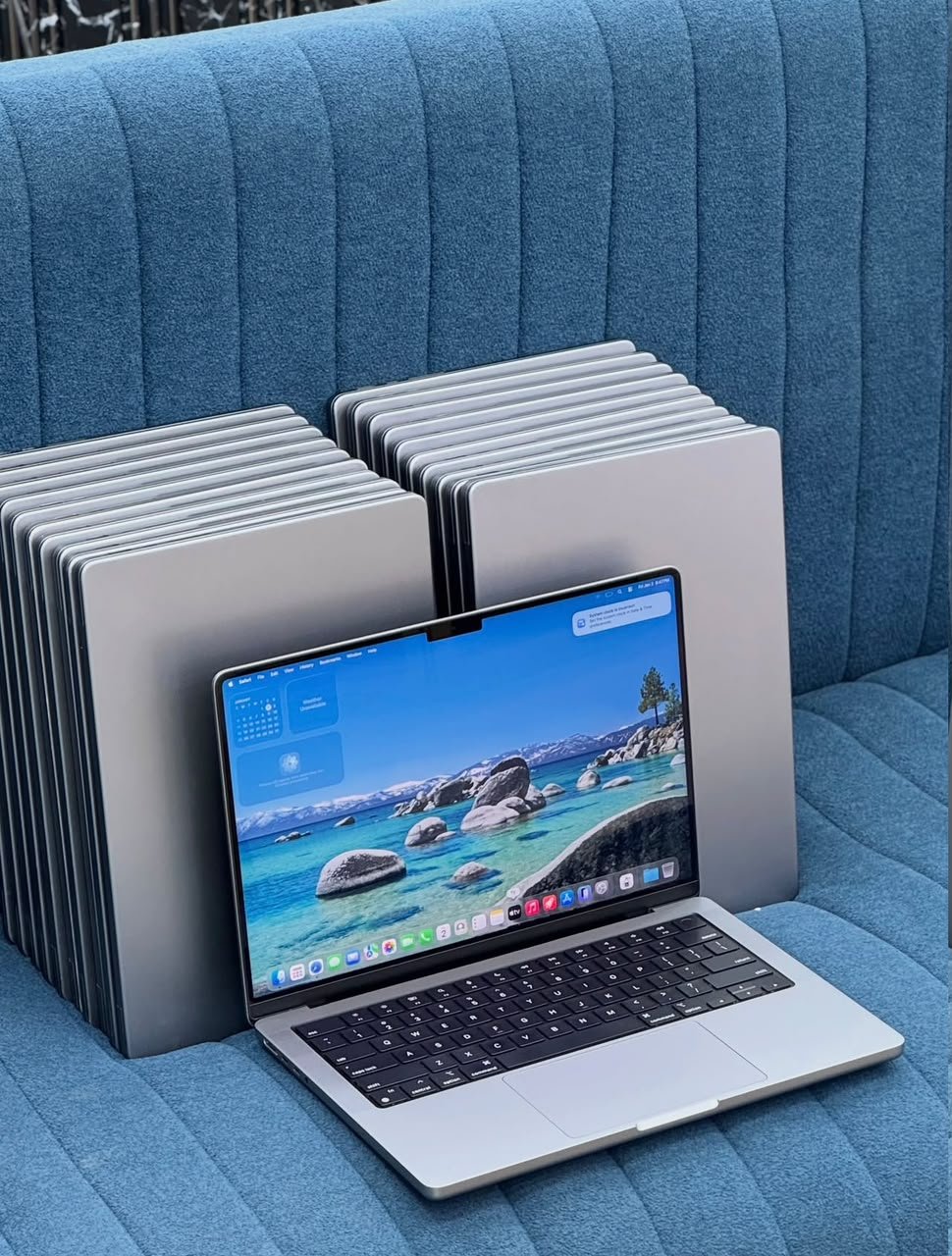

At Mudde AI, our focus is helping customers understand computer technology and make informed purchasing decisions. This guide explains what to consider before buying an AI-ready laptop in Kampala or elsewhere in Uganda.
What is an AI laptop?
An AI laptop is a computer designed or equipped to support artificial intelligence workloads. Depending on its hardware and software, it may use AI features for writing assistance, image editing, video calls, speech recognition, programming or running AI models locally.
There are three important things to understand.
- Cloud-based AI: Services such as online AI assistants run much of their processing on remote servers. A compatible everyday laptop can often use these services without a specialised AI processor.
- AI-enabled PCs: Some computers have a Neural Processing Unit (NPU), a specialised chip that accelerates supported AI tasks efficiently. Certain Windows AI features require specific hardware.
- AI development computers: Running machine-learning experiments, generating images locally or testing larger AI models may require more memory and a powerful dedicated graphics processor.
Not every laptop advertised as an AI laptop is suitable for every AI workload. Before purchasing, consider what you actually intend to do.
5 important specifications to check before buying an AI laptop
1. Processor: Intel, AMD or Apple silicon
The processor affects how quickly your computer handles applications, calculations and multitasking.
When comparing laptops, consider processors from Intel, AMD and Apple, depending on the operating system and applications you need.
For everyday office work, web-based AI tools and studying, a modern mainstream processor may be sufficient. Software development, video editing and demanding technical work may benefit from a more powerful processor.
Do not choose a laptop based on the processor name alone. Check the exact model, generation, performance, power efficiency and compatibility with your software.
2. RAM: How much memory do you need?
RAM helps your laptop run multiple applications at the same time. AI tools, browsers with many open tabs, development environments and creative software can all consume memory.
Use these figures as general buying guidance, not as guaranteed requirements for every application.
- 8GB RAM: Suitable for some basic tasks, but can become restrictive with heavy multitasking.
- 16GB RAM: A practical starting point for many users working with office applications, programming and cloud-based AI tools.
- 32GB RAM or more: Worth considering for demanding development, creative workloads and some local AI applications.
- 64GB RAM or more: May be appropriate for specialised workloads that need substantial memory.
Check whether the RAM is upgradeable or permanently soldered to the motherboard. This matters if you want your laptop to remain useful for several years.
3. Storage: Choose an SSD
A Solid State Drive (SSD) generally provides faster startup times and application loading than a traditional mechanical hard drive.
For many buyers, a 512GB SSD is a sensible starting point. A 1TB SSD or larger can be useful if you store extensive project files, videos, datasets or AI models.
Before buying, check the actual storage capacity, available upgrade options and whether the device uses an SSD.
4. Graphics: Integrated graphics or a dedicated GPU?
Graphics capability is particularly important if you intend to run AI models locally.
Integrated graphics can be adequate for everyday tasks, many programming activities and cloud-based AI services. A dedicated NVIDIA GPU may be beneficial for local machine learning, AI image generation, 3D work and other graphics-intensive tasks.
When comparing graphics hardware, examine the exact GPU model and its available video memory (VRAM). The amount of VRAM can limit which AI models you can run comfortably.
For practical guidance, NVIDIA provides information about building and running AI locally.
Remember: a powerful graphics card is not necessary for everyone who uses AI. If you mainly use AI websites in a browser, you may be better served by a balanced laptop with good battery life, sufficient RAM and a reliable processor.
5. NPU: Do you need a dedicated AI processor?
A Neural Processing Unit is designed to accelerate supported AI tasks. It can help a compatible computer perform certain on-device AI operations efficiently.
For example, Microsoft’s Copilot+ PC category requires an NPU capable of at least 40 trillion operations per second (TOPS), along with other hardware and software requirements.
However, an NPU is not the only way to run AI applications. Some workloads rely more heavily on the CPU, a dedicated GPU or cloud computing.
Read the official Microsoft Copilot+ PC developer guidance before choosing a computer specifically for those features.
Which AI laptop is best for your needs?
The best choice depends on your intended use, budget and preferred operating system.
| Type of buyer | What to prioritise |
|---|---|
| Students | Reliable performance, 16GB RAM where affordable, SSD storage and battery life |
| Business owners | Multitasking, security, reliability, video calls and a comfortable keyboard |
| Programmers | A capable processor, sufficient RAM, SSD storage and compatibility with development tools |
| AI content creators | Graphics performance, sufficient memory, a good display and creative software compatibility |
| Machine-learning developers | GPU capability, VRAM, system memory, operating-system compatibility and cooling |
| Everyday AI users | A reliable laptop that runs modern browsers and your chosen AI applications smoothly |
These are starting points rather than rigid rules. Your software, budget and workload should determine the final configuration.
Should you buy a new or used laptop in Uganda?
Your budget may influence whether you choose a new laptop or a carefully inspected used device.
A new laptop may offer a newer platform, a manufacturer warranty and a longer expected support period, depending on the model and seller.
A used laptop can provide good value, especially when you need business-class build quality within a limited budget. However, its condition and specifications should be verified before payment.
If you are considering a used laptop, check:
- Battery health and charging behaviour.
- Screen condition, keyboard, trackpad and ports.
- Processor, RAM and SSD capacity.
- Wi-Fi, webcam, speakers and other essential functions.
- Activation locks, firmware passwords and operating-system status.
- Whether the device is eligible for the operating-system and software support you need.
- The seller’s actual warranty or return terms.
For a used MacBook, also verify its exact model, macOS compatibility, battery condition and whether Activation Lock has been properly removed by the previous owner.
Do not assume that an expensive or recently purchased used laptop can run every AI application. Verify its hardware against your requirements.
How much do AI laptops cost in Uganda?
Laptop prices in Uganda vary according to the brand, model, processor, memory, graphics hardware, condition and seller.
Instead of choosing a laptop by price alone, compare the full specification and condition of each device. A cheaper laptop may cost more in the long run if it cannot handle your workload or needs immediate repairs or upgrades.
Before purchasing, ask the seller to confirm:
- The exact laptop model and specifications.
- Whether it is new, refurbished or used.
- The current price in Ugandan shillings (UGX).
- The warranty or return conditions, if any.
- Whether the laptop is physically in stock or available on request.
For the most useful comparison, assess several devices against the same requirements rather than comparing prices without considering performance.
Where can you buy AI laptops in Kampala?
If you are looking for AI laptops in Kampala, start by identifying your main use case and the specifications you need. Then compare available devices, verify the seller’s information and check the warranty and after-sales terms.
Mudde AI is focused on AI laptops and computer sales, helping customers explore technology suited to their work, education and business needs.
Visit muddeai.com to learn more about Mudde AI and enquire about laptop options. Before making a purchase, confirm the exact model, current availability, price and condition directly with the seller.
Whether you need a laptop for business productivity, programming, creative work or AI development, the goal is to choose a device that meets your actual requirements without paying for features you will not use.
Frequently asked questions about AI laptops in Uganda
What is the best AI laptop to buy in Uganda?
There is no single best laptop for everyone. The right option depends on your budget, applications, processor requirements, RAM, graphics capability and whether you need to run AI models locally.
Can I use ChatGPT on a normal laptop?
Yes. You can generally use ChatGPT through a supported web browser on an ordinary compatible laptop with an internet connection. You do not need a dedicated AI laptop simply to access cloud-based AI assistants.
How much RAM do I need for AI?
For general productivity and cloud-based AI tools, 16GB is a practical starting point for many users. Local AI models, professional development and demanding creative applications may need 32GB or more, depending on the workload.
Do I need an NVIDIA graphics card for AI?
No. Many AI tools run in the cloud and do not require a dedicated NVIDIA GPU. However, an appropriate NVIDIA GPU can be useful for workloads that benefit from local GPU acceleration, including certain machine-learning and image-generation tasks.
Are used laptops good for AI development?
Some used laptops are suitable, provided their specifications, condition and software compatibility meet your requirements. Check the exact GPU and VRAM if local AI development is important to you.
Where can I check laptop options in Kampala?
Visit Mudde AI to explore the business and enquire about available laptop options. Confirm current stock, specifications, prices and purchase terms before ordering.
Final thoughts
Choosing the right AI laptop starts with understanding what you want to accomplish. A student using online AI assistants has different requirements from a developer training models or a creative professional generating images locally.
Compare the processor, RAM, SSD, graphics capability, battery life and software compatibility before deciding. For used computers, verify the device’s condition and the seller’s terms as well.
If you are researching AI laptops in Uganda or looking for laptops in Kampala, Mudde AI is a place to start your enquiry.
Explore Mudde AI: https://muddeai.com/
Choose a laptop based on your real needs, verify the specifications, and invest in a computer that can support your work today and your plans for tomorrow.
Reference sources
- Microsoft: Copilot+ PC developer guidance
- Microsoft: Laptop buying guide
- NVIDIA: Build and run AI locally
Product specifications and software requirements vary by model and application. Confirm current requirements before purchasing.
