



Every laptop that leaves Mudde AI passes 21 checks first.
Not a quick once-over. Twenty-one specific tests on the battery, board, screen, keyboard, storage, thermals, ports, security and ownership status. You get the result in writing, before you pay.
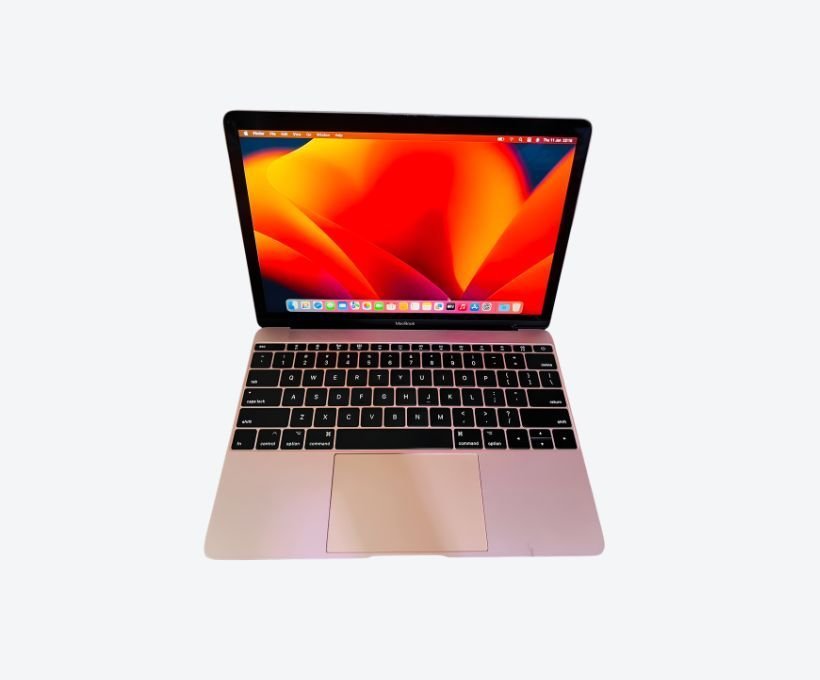
Most sellers in Kampala test a laptop by switching it on, opening Facebook, and calling it "working fine". That misses the failures that actually cost money: a battery at 61% health, an SSD with 4% life remaining, a keyboard that drops three keys when it warms up, a machine still locked to somebody else’s iCloud account. Those are the machines that come back a week later, when the seller has stopped answering WhatsApp.
This page is the full checklist. If you buy from us, it is what happens to your machine before you see it. If you buy anywhere else, run the same checks yourself, or ask the seller to run them and send you the report.
Why 21 points and not a five-minute test
A laptop has a dozen systems that fail independently of each other.
Battery, charging circuit, thermals, storage, memory, processor, graphics, display, keyboard, trackpad, ports, wireless, audio, operating system, firmware and ownership. One pass or fail per system is not enough. The display alone needs five separate checks. The battery needs three. The charging system needs three.
Twenty-one is the smallest number that covers every system without padding the list. Each point has a defined pass condition. If a machine cannot pass, we write that down, price the repair honestly, or decline to sell it.
The 21-point inspection checklist
What we actually do, in the order we do it.
Body, display and input
Chassis and hinge
We flex the lid through its full range, check for cracks around the hinge, look for a bulging bottom case (a swollen battery pushes the case up), and confirm every screw is present.
Display panel
White, black, red, green and blue full-screen tests catch dead pixels. We check backlight bleed, brightness uniformity and True Tone on Mac. On Windows we confirm the panel runs at its native resolution and refresh rate.
Keyboard, key by key
Every key is pressed and logged. On Mac we check the scissor or butterfly mechanism for sticking and double-typing. On Windows we test the full membrane, the function row and every backlight zone.
Trackpad and pointing
Tracking accuracy across the whole surface, click force in all four corners, multi-touch gestures, and on ThinkPads the TrackPoint and its three physical buttons.
Battery and charging
Battery health
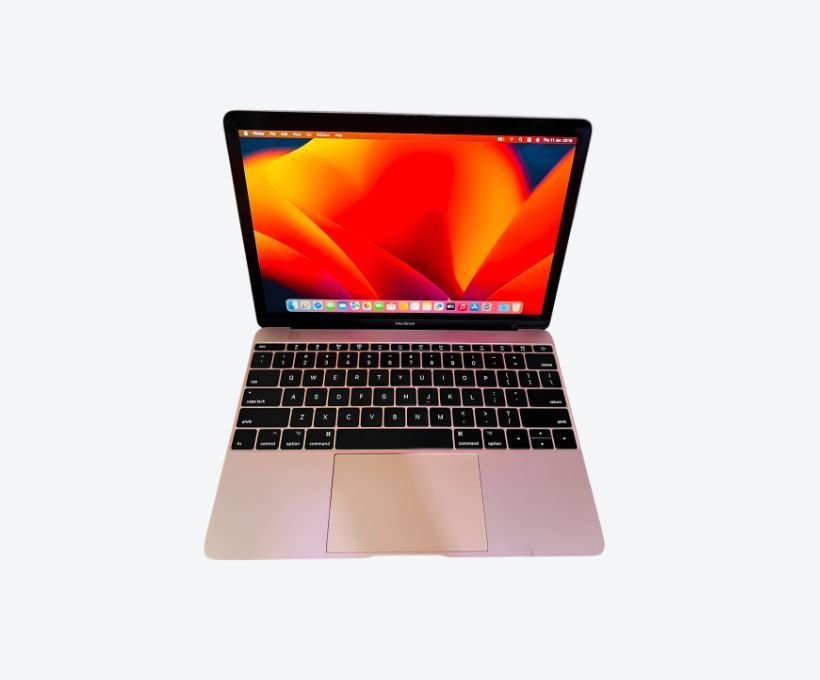
Design capacity, full charge capacity, cycle count and condition. A Mac at 82% after 300 cycles is normal. The same reading after 900 cycles means the battery is on borrowed time, and the price must reflect that.
Charging system
Adapter under load, charging port with a wiggle test, MagSafe or USB-C negotiation, and the barrel jack on older Windows machines. A port that only charges at one angle will fail completely within weeks.
Power under load
Sustained load while we watch for sudden shutdowns, unexpected sleep, rapid percentage drops and coil whine. A battery that reads 40% and dies is a failing cell, not a calibration issue.
Thermals and acoustics
Thermal load test
Fifteen minutes of sustained CPU and GPU load with temperature logging. We look for thermal throttling (a machine that drops to half speed and stays there), hot spots near the battery, and fan curves that never ramp up.
Fans, dust and liquid
We listen for bearing rattle, check for dust matting across the exhaust, and inspect the board for corrosion or the sticky residue that means a spill was never cleaned. Liquid damage is the most expensive thing a buyer can inherit.
Storage and memory
Storage health
On Mac we read SMART data, wear levelling and reallocated or pending bad blocks. On Windows we read SMART, power-on hours and total bytes written. An SSD with 4% life left is a drive replacement hiding behind a cheap price.
Memory integrity
A full memory test, not the five-second version. Bad RAM shows up as random crashes and corrupted files weeks later. We also confirm the installed capacity matches what the seller advertised and that every slot is running at the right speed.
Processor, graphics and AI
Processor, sustained
A short benchmark for peak, then the same test after ten minutes to see what the machine actually holds. Advertised specs are what a laptop does for 30 seconds. Sustained performance is what it does for an hour.
Graphics and displays
Every video output tested with a real monitor, GPU memory checked, a 4K decode test, and confirmation that an external display runs at the right resolution and refresh rate without artefacts.
AI workload sanity check
For machines sold as AI-capable we run a small local model and confirm the neural engine or GPU actually participates. Many "AI laptops" in Kampala are ordinary machines with a sticker on them. This point catches that.
Ports, wireless and audio
Every port
USB-A, USB-C, Thunderbolt, HDMI, DisplayPort, SD, Ethernet, MagSafe and headphone jack. Each is tested for data, power delivery and video where it supports it. A USB-C port that charges but carries no data is a common and annoying fault.
Wi-Fi and Bluetooth
2.4GHz and 5GHz reception at distance, Bluetooth pairing with audio and a mouse, and Wi-Fi 6 where the card supports it. We also check the antenna leads are seated, a common repair shortcut.
Webcam, mics and speakers
Camera quality in low light, every microphone in the array, left and right speakers separately, bass response, and headphone output on both high and low impedance headphones.
Software, security, ownership and real use
Operating system
On Mac we verify the macOS version, check the system volume, look for unsigned kernel extensions and leftover configuration profiles. On Windows we check activation, edition, driver integrity, event log errors and pending updates.
Firmware and security
SIP and Gatekeeper on Mac. Secure Boot, TPM and BIOS or UEFI passwords on Windows. We confirm firmware updates are available and applied, and that FileVault or BitLocker is off or that you hold the recovery key.
Activation and ownership
The single most important check in Kampala. Find My Mac and Activation Lock must be removed and the machine unlinked from any unknown Apple Account. On Windows the licence must be tied to the machine, not a grey-market key. We also check asset tags and record the serial.
Real-world workload and report
The final point is not a benchmark. We run the software the buyer will actually use, for long enough to see the machine get warm, then write everything down: pass or fail on all 21 points, battery health, SMART values, photos of cosmetic damage and the warranty terms.
How Mac and Windows differ in testing
The 21 points are identical. The tooling is not.
| Point | Mac | Windows |
|---|---|---|
| Battery | System Information, cycle count and condition | Battery report, design vs full charge capacity |
| Storage | SMART with a dedicated utility | SMART, power-on hours and total bytes written |
| Memory | Apple Diagnostics plus a stress test | MemTest86 extended pass |
| Thermals | Temperature sensors and fan control | Hardware monitoring under sustained load |
| Security | SIP, Gatekeeper, Activation Lock, Find My Mac | Secure Boot, TPM, BitLocker recovery |
| Ownership | Apple Account removed, serial not flagged | Digital licence tied to the device |
The ownership row is the one that matters most in Uganda. A machine that passes every hardware test but is still locked to another person’s account is not a usable computer. It is a very expensive paperweight. That is why we check it before anything else is agreed.
What you get in writing
Every inspection ends with a report, not a verbal "it’s fine".
- Pass or fail against all 21 points, with a note on anything that failed.
- Battery health, cycle count and current full charge capacity.
- SMART values for the drive, including power-on hours and total bytes written.
- Serial number, model identifier and the configuration actually installed.
- Cosmetic condition, with photographs of any marks, dents or scratches.
- The warranty that applies, in writing, with the period and what it covers.
If something fails you have three options: repair it, take the machine at a price that reflects the fault, or walk away. We do not hide a fault and argue about it later.
Six red flags that mean walk away
You do not need our report to spot a bad machine.
- The seller refuses a battery health reading. A healthy machine has nothing to hide.
- Find My Mac or Activation Lock is still on, or the seller cannot sign out of the previous owner’s account in front of you.
- The serial number is scratched off, missing, or does not match the box and the system report.
- The machine shuts down under load, or the fan runs at full speed the whole time.
- The SSD reports very high power-on hours, or the drive has been replaced without documentation.
- The price is far below the Kampala market rate with no explanation. Cheap usually means stolen, non-genuine, or broken in a way the seller has not disclosed.
How long it takes and what it costs
30-45 minutes
For a laptop. An iMac, Mac Studio or Mac Pro takes longer because of the internal checks. We tell you the expected time before we start.
Free with purchase or repair
It is the first step of every repair and every machine we sell. A standalone report on a machine from another seller carries a small diagnostic fee, credited against any repair you approve.
No appointment needed. Bring the machine and the charger to Majestic Plaza, William Street, Kampala, Monday to Saturday, 9:00 AM to 6:00 PM. Message us on WhatsApp first if you want a slot held, and send the model number so we can have the right tools ready.
Frequently asked questions
Is the 21-point inspection really free?
Yes. It is free with every purchase from Mudde AI and it is the free first step of every repair. If you bring in a machine from another seller and want a standalone inspection report, we charge a small diagnostic fee and credit it against any repair you approve.
Do you inspect Windows laptops as well as Macs?
Yes. The 21 points are identical. What changes is the tooling: SMART and battery reporting on Windows, Apple Diagnostics and System Information on Mac. Ownership and activation checks are done on both.
How long does the inspection take?
30 to 45 minutes for a laptop. An iMac, Mac Studio or Mac Pro takes longer because of the internal checks. We tell you the expected time before we start.
Can you check a machine before I pay the seller?
Yes. Bring the machine to Majestic Plaza and we will run the inspection with the seller’s knowledge. If it fails, you have a written report to support your decision to walk away.
What happens if the machine fails a point?
You get the written report showing the failure, a repair price, and the option to walk away. We do not sell a machine with an undisclosed fault, and we will tell you honestly when a repair costs more than the machine is worth.
Does the warranty cover the inspection findings?
The written 3-month warranty covers the work we do and the parts we fit. Pre-existing faults found during inspection are documented and priced separately so there is no confusion about what is covered.
Can you come to my office or home in Kampala?
For qualifying machines we can arrange a pickup and return within Kampala. Message us on WhatsApp with your location and the machine details and we will confirm what is possible.
Book a 21-point inspection
Send the model and the problem. We will confirm a slot at Majestic Plaza, usually the same day.

[…] Also read: our 21-point inspection checklist for Mac and Windows […]
[…] Also read: Contact Muddeai Andy, Macbook Pro, Reserve Via Whatsapp, how our 21-point inspection works in Kampala […]
[…] Also read: Contact Muddeai Andy, Macbook Pro, Reserve Via Whatsapp, how our 21-point inspection works in Kampala […]
[…] Also read: the 21-point inspection every machine passes before it is sold […]
[…] Also read: our 21-point inspection checklist for Mac and Windows […]
[…] Also read: Mac Mini Price In Uganda, Mac Studio Vs Mac Mini Vs Mac Pro, Mac Studio Price In Uganda, Best Student Laptop Kampala Macbook Air, the 21-point MacBook and laptop inspection we run before every sale […]
[…] Also read: Mac Mini Price In Uganda, Mac Studio Vs Mac Mini Vs Mac Pro, Mac Studio Price In Uganda, Best Student Laptop Kampala Macbook Air, the 21-point inspection every machine passes before it is sold […]
[…] Also read: Macbook Air M1 M2 M3 Comparison Uganda, New Vs Refurbished Macbook Air Uganda, Where To Buy Macbook Air Kampala, Best Student Laptop Kampala Macbook Air, the 21-point MacBook and laptop inspection we run before every sale […]
[…] Also read: Macbook Air M1 M2 M3 Comparison Uganda, New Vs Refurbished Macbook Air Uganda, Where To Buy Macbook Air Kampala, Best Student Laptop Kampala Macbook Air, the 21-point MacBook and laptop inspection we run before every sale […]
[…] Also read: Macbook Pro Price In Uganda, Macbook Pro 13 Vs 14 Vs 16 Guide, Refurbished Macbook Pro Worth It Uganda, Best Video Editing Laptop Kampala Macbook Pro, our 21-point inspection checklist for Mac and Windows […]
[…] Also read: Macbook Air M1 M2 M3 Comparison Uganda, New Vs Refurbished Macbook Air Uganda, Where To Buy Macbook Air Kampala, Best Student Laptop Kampala Macbook Air, how our 21-point inspection works in Kampala […]
[…] Also read: Macbook Pro Price In Uganda, Macbook Pro 13 Vs 14 Vs 16 Guide, Refurbished Macbook Pro Worth It Uganda, Best Video Editing Laptop Kampala Macbook Pro, what the 21-point inspection covers […]
[…] Also read: Macbook Air M1 M2 M3 Comparison Uganda, New Vs Refurbished Macbook Air Uganda, Where To Buy Macbook Air Kampala, Best Student Laptop Kampala Macbook Air, the 21-point inspection every machine passes before it is sold […]
[…] Also read: Macbook Air M1 M2 M3 Comparison Uganda, New Vs Refurbished Macbook Air Uganda, Where To Buy Macbook Air Kampala, Best Student Laptop Kampala Macbook Air, the 21-point MacBook and laptop inspection we run before every sale […]
[…] Also read: Mac Mini Price In Uganda, Mac Studio Vs Mac Mini Vs Mac Pro, Mac Studio Price In Uganda, Best Student Laptop Kampala Macbook Air, what the 21-point inspection covers […]
[…] Also read: Macbook Air M1 M2 M3 Comparison Uganda, New Vs Refurbished Macbook Air Uganda, Where To Buy Macbook Air Kampala, Best Student Laptop Kampala Macbook Air, the 21-point inspection every machine passes before it is sold […]
[…] Also read: Shop, Shop, Shop, Shop, what the 21-point inspection covers […]
[…] Also read: Shop, Shop, Shop, Shop, the 21-point MacBook and laptop inspection we run before every sale […]
[…] Also read: Shop, Shop, Shop, Shop, the 21-point MacBook and laptop inspection we run before every sale […]
[…] 21-Point Inspection […]
[…] 21-Point Inspection […]
[…] 21-Point Inspection […]
[…] 21-Point Inspection […]
[…] 21-Point Inspection […]
[…] 21-Point Inspection […]
[…] 21-Point Inspection […]
[…] 21-Point Inspection […]
[…] 21-Point Inspection […]
[…] 21-Point Inspection […]
[…] 21-Point Inspection […]
[…] 21-Point Inspection […]
[…] 21-Point Inspection […]