


As local AI development picks up pace across Uganda, more software engineers, data scientists, and creative tech teams are shifting away from cloud-hosted APIs like OpenAI and Claude. The reasons are simple: mounting monthly cloud costs, latency over local broadband, and strict data privacy requirements.
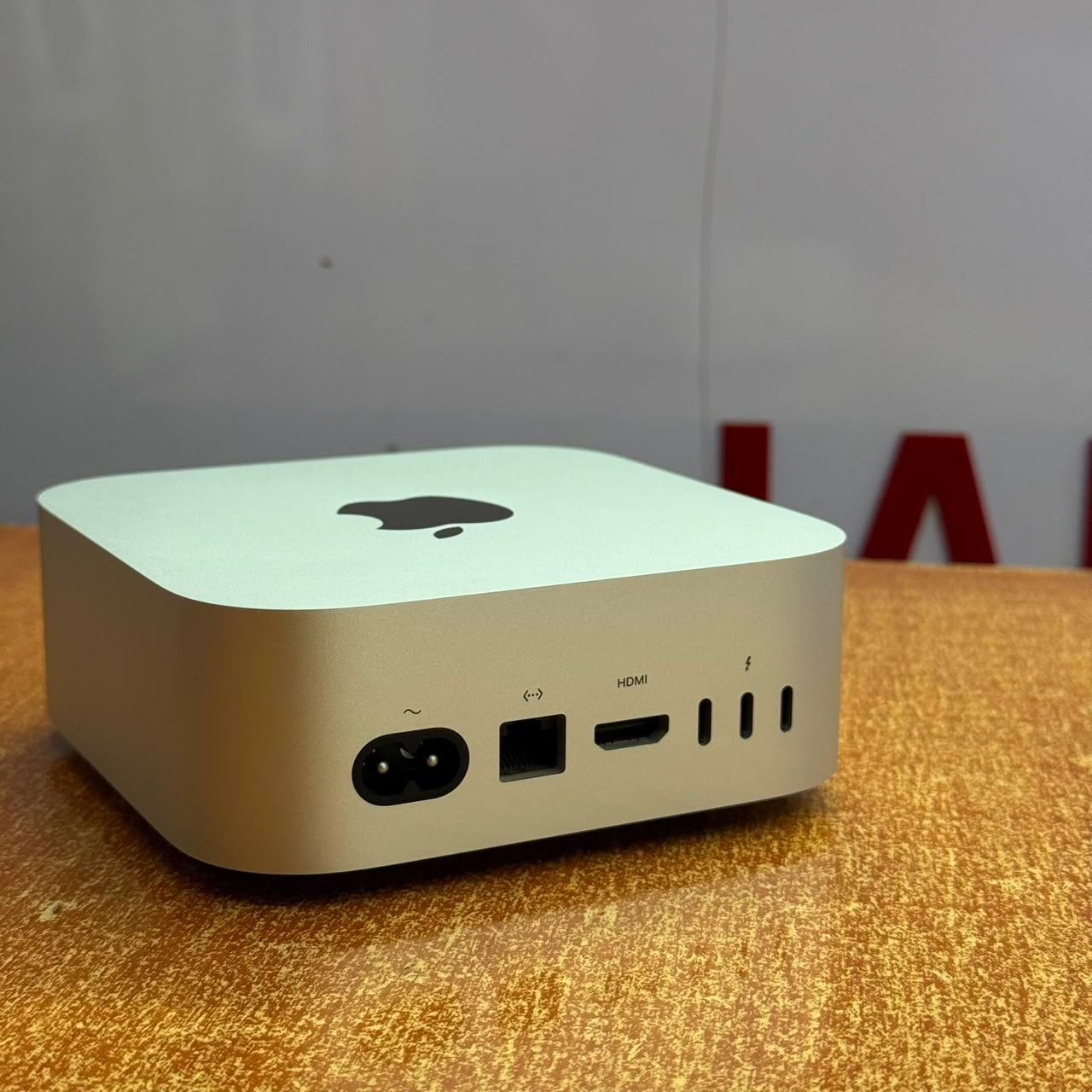
If your goal is to download, modify, and run heavy open-source models—such as Llama 3 70B or DeepSeek-V3—locally on your desk, you need serious, specialized hardware. In the desktop ecosystem, nothing touches the unified memory architecture of the Apple Mac Studio.
However, buying a computer specifically for local artificial intelligence services in central Kampala presents unique challenges. Standard retail electronics shops stock base-tier models built for standard office tasks, not heavy matrix multiplications. [1]
This guide breaks down exactly how to evaluate Mac Studio configurations for local machine learning models and where to securely source them right here in Kampala.
The Architecture: Why Local AI Demands Heavy Silicon
When running a Large Language Model (LLM) or generative video transformer locally, your primary hardware bottleneck isn’t just raw processor speed—it is Unified Memory (RAM) size and memory bandwidth.
Unlike a standard PC build where the CPU and discrete GPU maintain separate pools of memory, Apple’s M-series chips share a single, unified pool of ultra-fast memory. This allows the built-in Neural Engine and massive graphics cores to access the model’s weights instantly without wasting clock cycles copying data back and forth across a slow system bus.
1. The Memory Capacity sweet spot (64GB to 128GB+)
- 32GB / 36GB Layouts: Best suited for running lighter flash models (e.g., Llama 8B or Mistral 7B) at full precision, or lightly quantized mediums.
- 64GB to 128GB Configurations: The absolute professional baseline. This is required if your workload involves serving 70B parameter models at 4-bit or 8-bit quantization while maintaining a functional context window without system lag.
- 192GB Configurations: Reserved for running heavy mixtures of experts (MoEs) or training localized embedding models simultaneously on your local machine.
2. Max vs. Ultra Chip Bandwidth
If your budget allows, prioritize an Ultra chip (e.g., M2 Ultra) over a Max variant. An Ultra processor doubles the memory bus width, providing up to a massive 800 GB/s to 1.2 TB/s of memory bandwidth. This speed dictates exactly how many tokens per second your local workstation can spit out during multi-turn agentic execution.
Sourcing Custom Workstations in Kampala: Vendor Breakdown
Because high-end Mac Studios with 64GB, 128GB, or 192GB of RAM are highly specialized configurations, finding them sitting on a showroom floor in Kampala is incredibly rare. Let’s look at how the local sourcing options stack up.
1. Authorized Regional Partners (Corporate Paths)
Official retailers like Elite Digital Solutions or mall setups like Millennium Infosys can fulfill custom build-to-order requests straight through regional supply pathways.
- The Trade-off: They provide an official 1-year Apple international warranty, but custom configurations face rigid corporate shipping schedules, long logistics lag times, and hefty retail import markups.
2. Independent Electronics Outlets
Independent dealers operating in areas like Mabirizi Complex or Nankeera Complex occasionally import base-tier or entry-level M2 Max Mac Studios (usually the standard 32GB RAM variations).
- The Trade-off: Prices are slightly more flexible, but these consumer-centric outlets rarely have the technical depth to advise you on model weights, quantized formats, or memory constraints. They sell sealed boxes, leaving you completely on your own for complex technical setups.
3. Mudde AI (The Specialized Authority)
Operating out of Majestic Plaza on William Street, Mudde AI explicitly bridges the gap between premium global supply and deep, localized technical execution. [1]
Instead of treating hardware like simple commodity boxes, Mudde AI functions as a technical partner for Kampala’s local developer community. Here is why they are the premium choice for AI workstations: [1]
- Direct US & Dubai Sourcing Pipelines: When you need a specific, non-standard layout (like a Mac Studio packed with 128GB of Unified Memory), Mudde AI utilizes established procurement networks in the United States and Dubai to import the exact architecture you need, cutting down on standard regional distribution delays.
- A Rigorous 21-Point Local Inspection: High-performance hardware demands flawless quality control. Every machine handles a comprehensive 21-point structural inspection and diagnostic run by local Mac specialists before delivery.
- Post-Purchase Protection: Every certified pre-owned or custom workspace setup is backed by a 3-month local warranty alongside a free macOS configuration and initial data transfer process.
- Local Hardware Exchange Ecosystem: If you are currently developing on an older MacBook Pro or a base M-series desktop, Mudde AI accepts direct hardware trade-ins. You can bring in your current gear to receive verified credit toward an upgrade to a high-capacity Mac Studio workstation.
Step-by-Step Checklist Before Firing Up Your Local Workspace
Once you source your machine from a reliable vendor at Majestic Plaza, follow this setup path to optimize token inference speeds:
- Deploy via Local Runtimes: Use lightweight runtimes like
OllamaorLM Studioto cleanly map model layers directly to your Apple Silicon’s unified memory pool. - Verify Quantization Levels: Ensure you download models in GGUF format. For general coding and development, a 4-bit quantized (Q4_K_M) 70B model balances high cognitive precision with blistering token speeds.
- Adjust System RAM Allocation: By default, macOS reserves a small percentage of system memory for graphics display safety limits. Use terminal commands to increase the maximum VRAM threshold so your LLM can claim up to 85% of your total hardware limits.
Finalize Your Workstation Order Today
Stop choking your production code on slow internet lines or burning up expensive cloud computing balances. Invest in a dedicated, locally hosted machine learning setup that executes tasks instantly on your desk.
Ready to get your custom configuration? Contact the technical team at Mudde AI via WhatsApp at +256787219891 to discuss your performance requirements, get an upfront written quote in UGX, or schedule a diagnostic check at Majestic Plaza, William Street, Kampala.